
A live overlay that connects parallel events
TVXRAY brings live data, highlights and alerts from parallel events into the experience viewers are already watching. It integrates via SDK into your existing OTT offering across connected TVs, set top boxes, mobile and web.
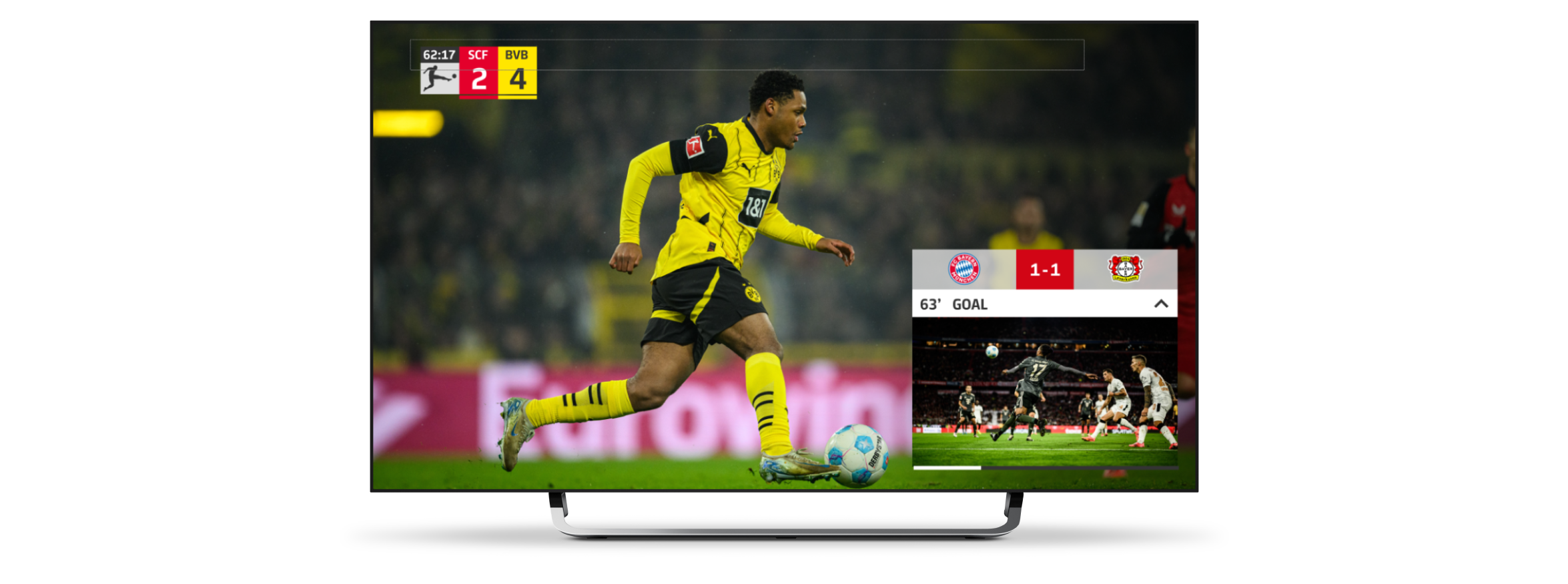
See what we built for the Bundesliga
What we discussed at IBC
We discussed how the overlay could help TV 2 connect parallel live sports events. When viewers choose one event, they can miss relevant moments happening elsewhere. The idea is to use the overlay to make these moments visible within the experience they are already watching and help viewers move between live events.
Keep viewers connected across live events
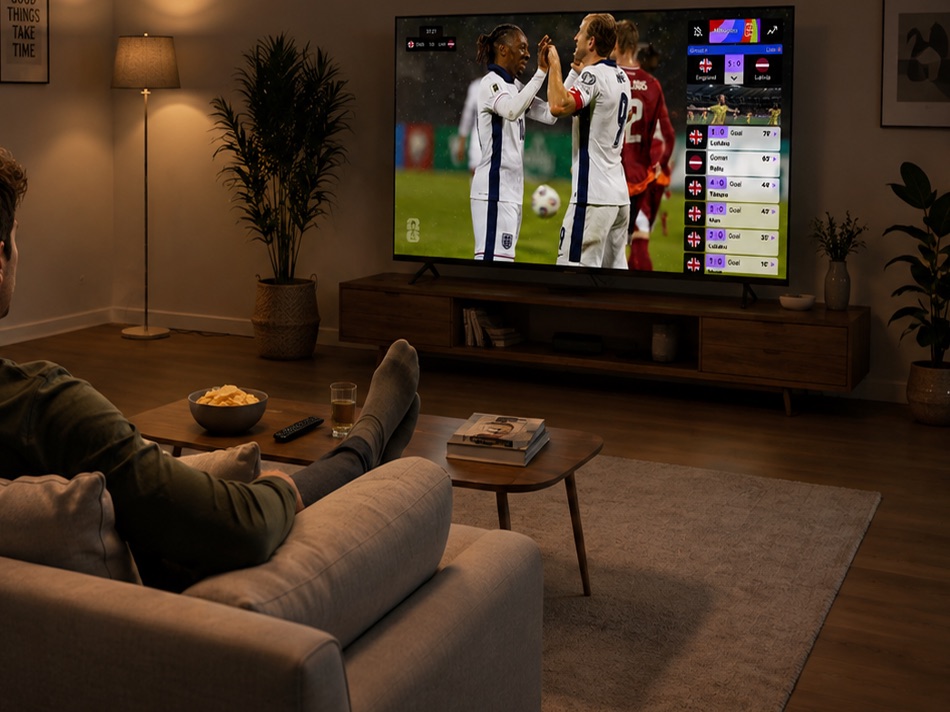
A viewer picks one live event and loses the rest. What happens in another event often arrives later, after it stopped mattering. The layer closes that gap. While one event is playing, the layer carries its live data and timeline, alongside a personalized alert when something happens in an event running at the same time. The viewer decides whether to move across. It integrates through an SDK into the existing offering across connected TVs, set top boxes, mobile and web.
When two live sports events overlap
A concrete example: a Saturday with a cross-country World Cup race and a handball championship match in the same window.
While someone is watching the race, the handball match starts. The layer lets them know and keeps them updated when the score changes. If they switch to the match, the timeline shows them what they missed in the race.
This is just one example. You decide which events to connect, which prompts to show and on which screens.
Delivered as an SDK implemented in your player
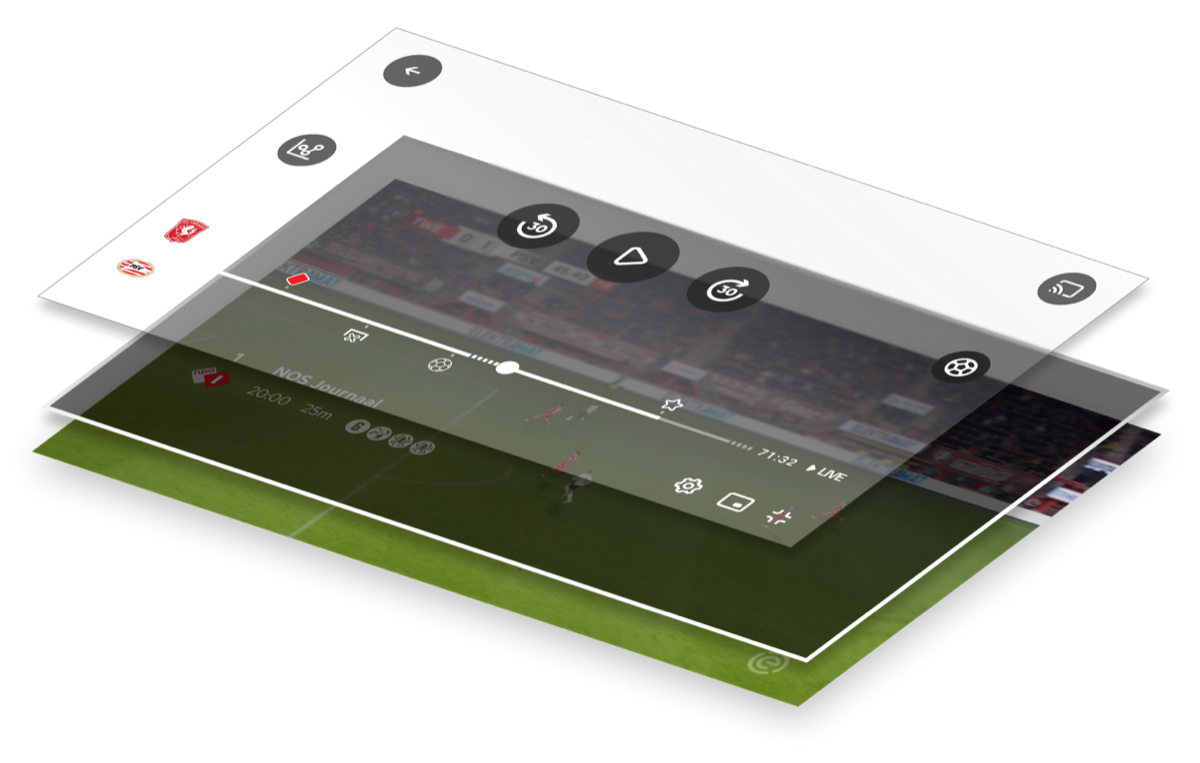
The layer is delivered as a SaaS solution and integrates through an SDK into an existing OTT offering, across connected TVs, set-top boxes, mobile and web. The player is not replaced and the video pipeline is not changed: the overlay draws its live data, its timeline and its alerts alongside the stream rather than inside it. What that means for any specific application is a question about that application, and the second half of this page is the list of those questions.
What we built for the Bundesliga
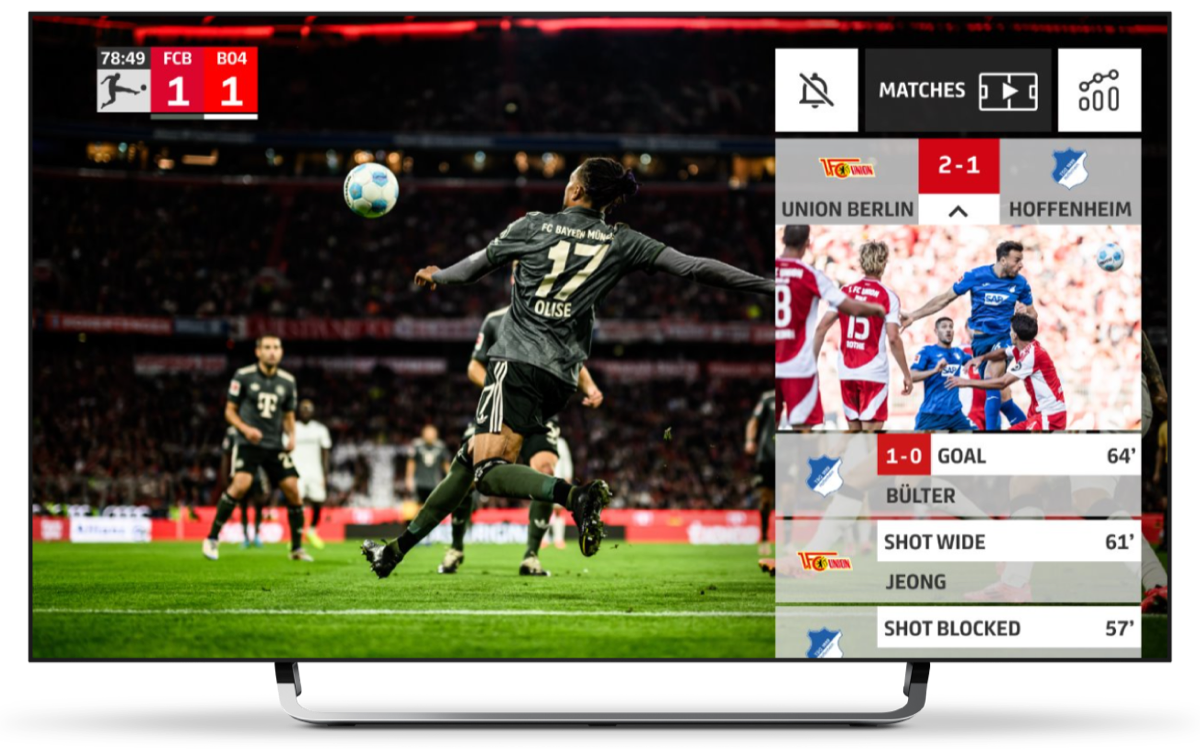
Qvest integrated TVXRAY on the DFL international feed as the DFL Interactive Feed. It put real-time statistics and data overlays on the live picture, an interactive timeline for jumping back to a key moment, and interactive highlights that gave instant access to a scene that had just happened.
It ran on Android TV, on iOS and Android, and on the web, localised for Mexico, Japan, Germany and Hungary.
“[With the Interactive Feed] we can offer both the Bundesliga’s media partners and football fans around the world great added value for their viewing experience.”
Steffen Merkel, CEO of the DFL
Define the first use case
In one working session, we define:
- Which apps, devices and broadcast channels to consider.
- What live data TV 2 can use.
- Where engagement features and calls to action can appear.
- Which use case to test first.
We also define how to measure its impact.