
Automated highlights, built around the story
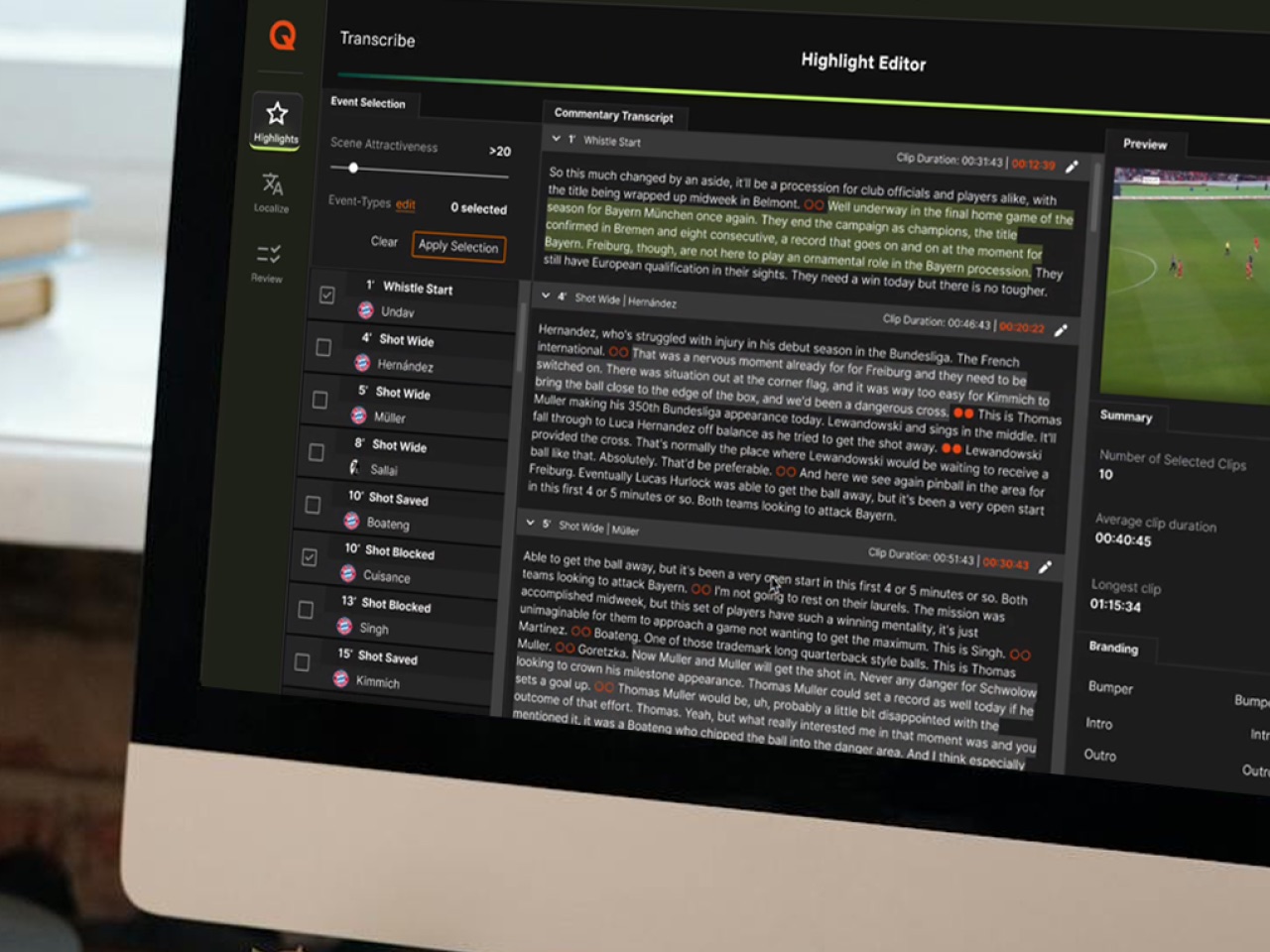
Metadata drives clip creation, and every derivative is written back beneath the asset it came from so it stays findable through the story it belongs to.
See the highlight workflow
What we discussed at IBC
We discussed what could change if DR organised production around the story rather than the output format.
Today, the same story can move across different formats and channels, with content and metadata handled separately along the way. A story centric approach could connect these pieces and make content easier to find, reuse and publish across formats.
Everything here is either already running somewhere, or named as a question we would need to answer with you.
From the source asset to every destination
Metadata enters either through extraction or through an existing API. Rules and templates decide what a clip becomes for which destination, and outputs are adapted per format rather than produced once and cropped.
The part worth a second look: the generated clip is written back beneath the asset it came from, with its metadata attached. The derivative keeps its lineage, so an editor finds it through the story it belongs to and can re-cut it later without hunting for the source.
Get to know Highlight StudioQvest is a Global Systems Integrator at NVIDIA.
What that changes is where a conversation about AI starts. We begin from the use case rather than from the hardware, and the work then runs from AI strategy and use-case definition through sizing and architecture to the selection and integration of the AI platform itself.
The part that matters for a media organisation is the last mile: getting those capabilities into the MAM, news, production and archive workflows that already exist, rather than beside them. Where an organisation wants to run AI on its own or on dedicated infrastructure, the same work extends to designing and building that infrastructure.
We mention it because it changes what is possible rather than because it needs deciding today.
Read the V-Cropper announcementHighlights built for mobile habits
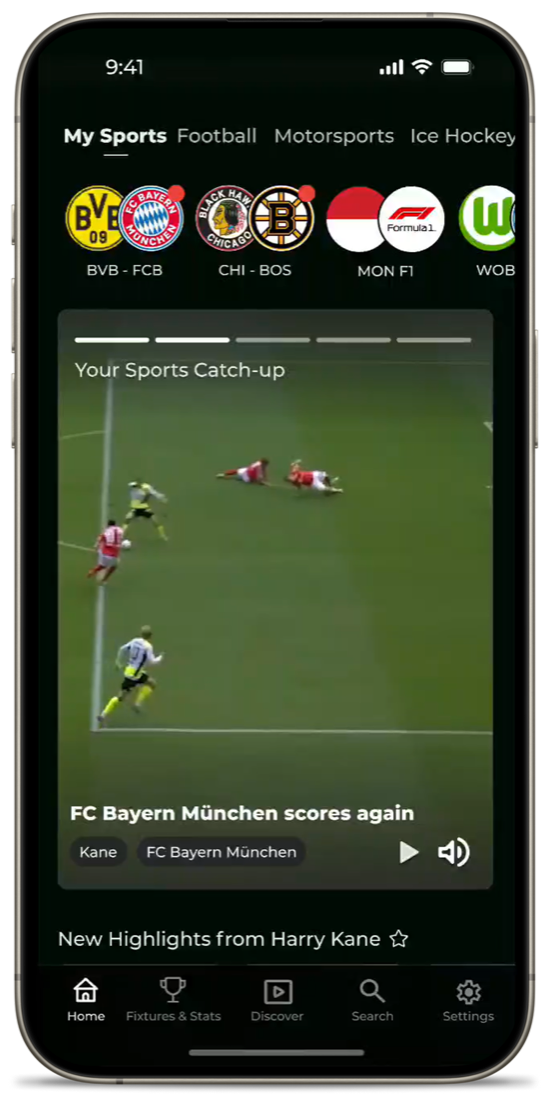
The Highlights App brings short form sports content, live data and personalization into a mobile first experience. Fans can follow their favorite teams, leagues and players, move directly between highlights, stats and profiles, and receive notifications about relevant moments. The app can also connect free highlight consumption with your core streaming product.
A viewer following their own teams in the Highlights App. A product view, not a DR deployment.