
Generated clips connected to their source
Rules and templates turn match metadata into clips for every destination, then store them with their metadata in a searchable content library.
See how the library holds it
What we discussed at IBC
We discussed how Polsat manages highlights across sports and how generated clips remain useful after they are created.
As you already use WSC Sports, the conversation was not about automating clipping itself. We focused on what happens afterwards: keeping highlights and their metadata connected to the original match asset in your content library. This could make clips easier for editorial teams to find, understand and reuse later.
We also discussed where this approach could add value to your current setup.
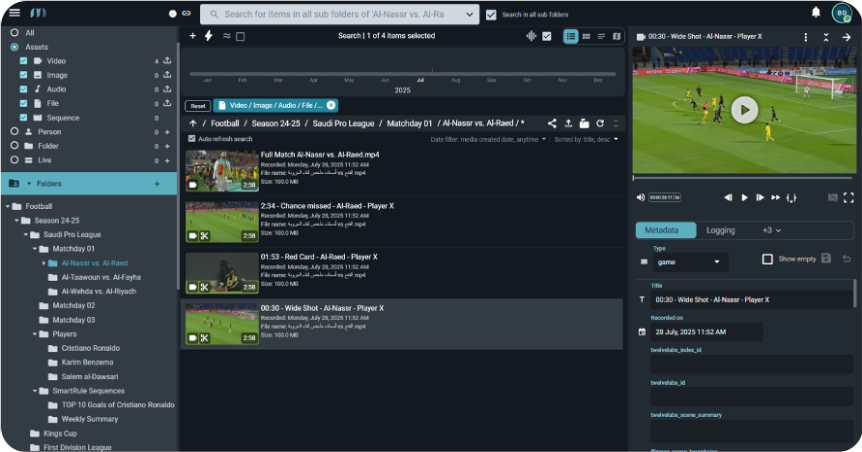
Every clip stays connected to its source
A generated clip is written back into the content library beneath the asset it came from, with its metadata attached: which match, which moment, which competition, which rules produced it. The derivative stays a child of its source rather than a new file somewhere else. What that buys is not speed at the moment of creation, it is everything afterwards: an editor looking for a moment finds it through the match, a clip can be re-cut for a new format without hunting for the source, and a season of output stays a library rather than becoming a folder.
The clip list with its metadata column. This is a product perspective, independent of the Polsat implementation.
What that structure makes possible
These benefits come directly from keeping every derivative connected to its source asset.
Find clips through the match
Editors can find a clip through the fixture, even if they do not remember the individual clip.
- Source metadata carries over to every derivative
- Competition, fixture and moment remain connected
Recut without searching again
Need another format or destination? Create a new derivative from the same source instead of searching for the original file again.
- Rules and templates support different use cases
- Every derivative links back to its source
Keep the library searchable
Even as output grows across a season, clips remain organized and searchable instead of becoming disconnected files.
- Derivatives stay grouped under their source
- Metadata keeps growing volumes searchable
How this fits your setup depends on how your library handles derivatives. That is something our engineers can assess together with your team.
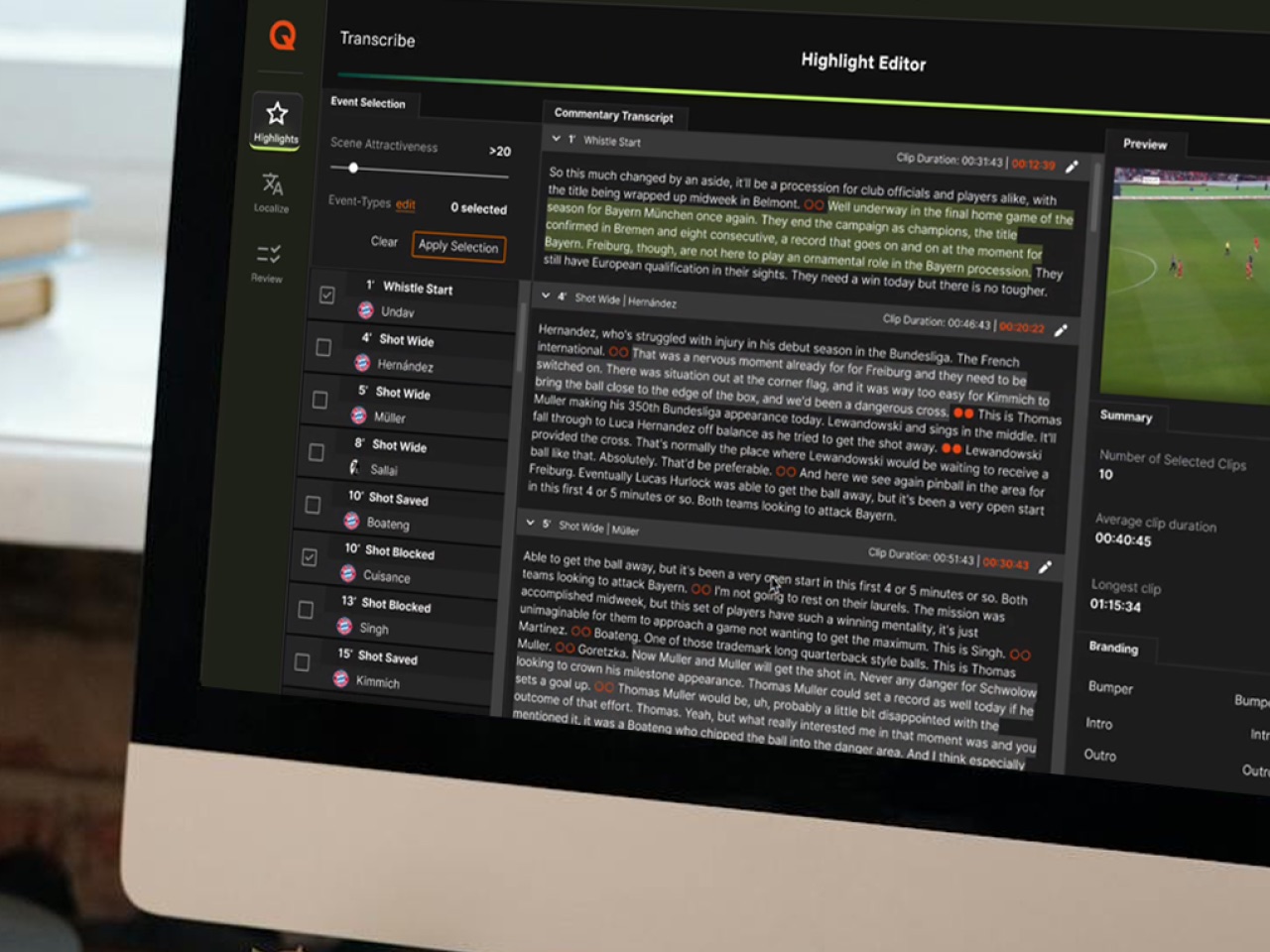
Where the metadata comes from
Metadata enters either through extraction or through an existing API, and rules and templates decide what a clip becomes for which destination. The interface is where an editor intervenes when the automatic result is not the one they wanted.
This is a product perspective, independent of the Polsat implementation.
From structured highlights to a fan experience
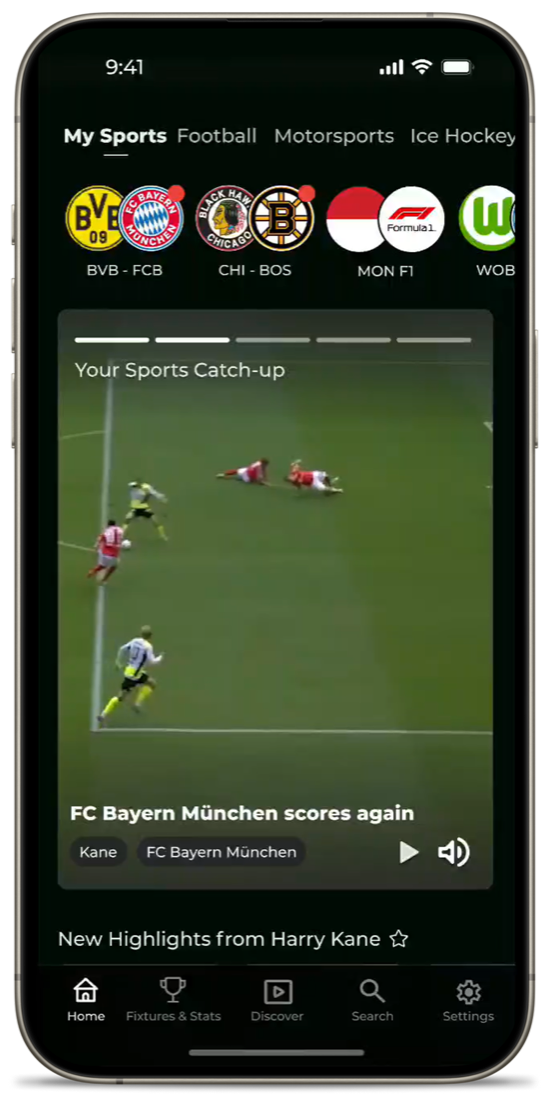
The same highlights and metadata can power a dedicated mobile experience with vertical and horizontal video feeds, personalized recommendations, live and historical sports data, and push notifications. Fans can follow their favorite leagues, teams and players, with highlights, statistics and profiles directly connected.
A viewer following their own teams in the Highlights App. A product view, not a Polsat deployment.